
- We’re on your favourite socials!





Loyola College Application Form 2026-27 is now available online at the official admission portal. Check the direct application link, eligibility, important dates, documents required, and step-by-step process to complete your Loyola College application form without errors.
- Loyola College Application Form 2026-27: Quick Highlights
- Loyola College Application Form 2026-27: Direct Link To Apply
- Loyola College Important Dates 2026
- Loyola College Eligibility Criteria 2026-27
- How to Fill the Loyola College Application Form 2026-27: Step-by-Step Guide
- Documents Required for Loyola College Admission 2026-27
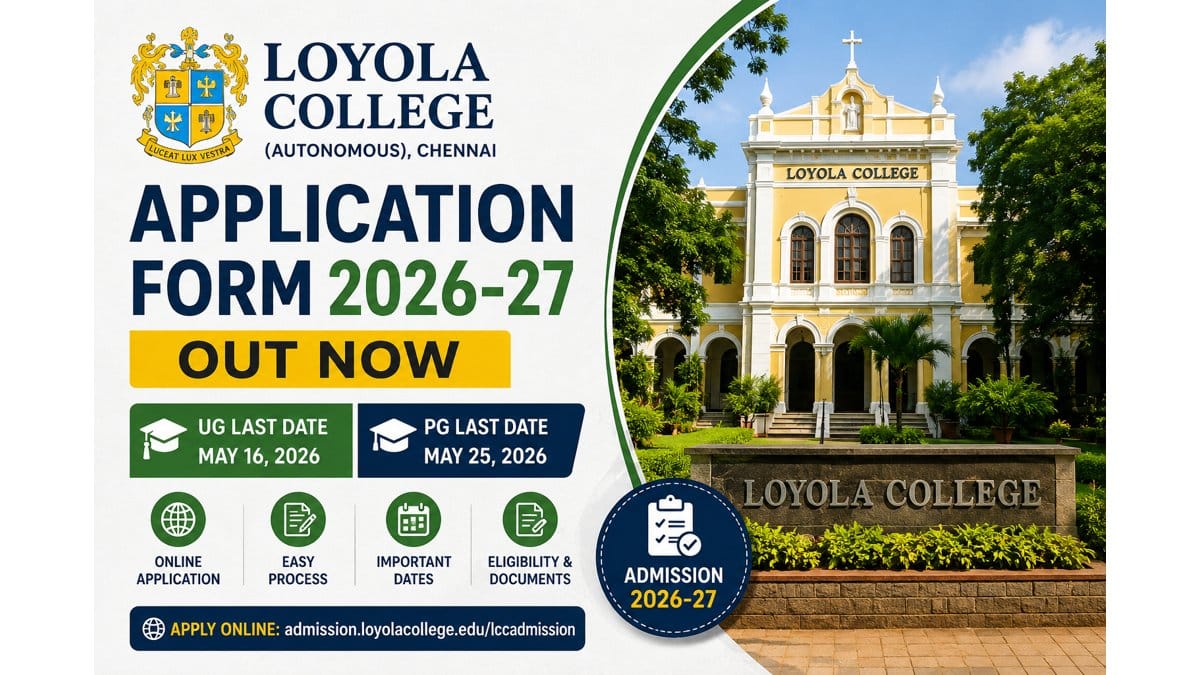
Loyola College Application Form 2026-27 has been released online at admission.loyolacollege.edu. The last date to apply for UG courses is May 16, 2026, while PG applications are open till May 25, 2026. Candidates can fill the Loyola College application form online through the official admission portal by registering, uploading documents, and paying the application fee of INR 200 (UG) and INR 300 (PG). Get the direct link to apply, important dates, eligibility, documents required, and step-by-step process below.
Loyola College Application Form 2026-27: Quick Highlights
Particulars | Details |
College Name | Loyola College (Autonomous), Chennai |
Established | 1925 |
Affiliation | University of Madras |
Accreditation | NAAC A++ (4th Cycle, 2021) |
Admission Year | 2026-2027 |
Application Mode | Online only |
Official Website | www.loyolacollege.edu |
Admission Portal | admission.loyolacollege.edu/lccadmission |
Helpline | 044-28178291 / 292 / 293 |
Loyola College Application Form 2026-27: Direct Link To Apply
Direct link to apply online for Loyola college admission 2026 is give below.
Online Application Portal |
Loyola College Important Dates 2026
Important dates to apply for Loyola College admission 2026 is given below.
Event | Date |
UG Application Portal Opens | May 6, 2026 |
Last date to submit the application form for UG | May 16, 2026 |
Loyola Visual Aptitude Test (LoVAT) for all Media Courses | May 19, 2025 |
PG Application Portal Opens | May 10, 2026 |
Last date to submit the application form for PG | May 25, 2026 |
PG Entrance Test | June 8, 2026 |
Loyola College Eligibility Criteria 2026-27
Eligibility differs by programme. Candidates must read the official prospectus before applying. As a general guideline mentioned on the official admission portal:
For Undergraduate Courses
- Must have passed Class 12 (Higher Secondary) from a recognised board.
- Subject-wise marks and stream criteria vary by programme.
- For Tamil Nadu State Board candidates, the cut-off is calculated based on the +2 marks as per the college rules.
For Postgraduate Courses
- Must hold a bachelor's degree in the relevant discipline from a recognised university.
- Specific minimum marks and subject combinations vary by course.
For Media Courses (B.Sc Viscom / BMM / B.Voc)
- Must qualify the LoVAT (Loyola Visual Aptitude Test) held on 19 May 2026 at the Loyola campus.
For LIAC Programmes
- Must clear the Aptitude Test and Personal Interview held between 20–27 May 2026.
How to Fill the Loyola College Application Form 2026-27: Step-by-Step Guide
Step-by-Step guide to fil the Loyola College Application Form is as follows:
Step 1: Visit the Official Website
Open your browser and visit the official website of Loyola College at www.loyolacollege.edu. Click on the Admissions link. The online application portal will open. You can also view the Prospectus 2026-27 by clicking the corresponding button.
Step 2: Click "Apply Now" Under Undergraduate Programs
If you have completed 12th grade, click the Apply Now button in the undergraduate programs section. The eligibility criteria page will open.
Step 3: Check Eligibility Carefully
Undergraduate programmes are offered based on the subjects you studied in 12th standard. Read the instructions and eligibility for each course carefully to see which ones you qualify for. After reading, tick the check box and click Agree and Continue. You will be redirected to the registration page.
Step 4: Read Registration Instructions
Before registering, read the instructions carefully. Two important rules from the official portal:
- Only the mobile number and Gmail address of the applicant should be entered for online registration — not the parent's or guardian's.
- Loyola College does not accept donations in any form for admission. Beware of anyone who promises admission in exchange for money. Report such practices immediately to the Principal or Admission Officer.
At the top of the application, you will see the 7 steps required for successful registration.
Step 5: New Applicant Registration
In the "New Applicant Registration" section on the right, click the "Click here to Register" button. An important instruction popup will appear. Tick the check box and click Accept and Continue.
The New Applicant Registration Form will appear. Enter:
- Name (exactly as per your 10th mark sheet)
- Date of Birth (in DD/MM/YYYY format)
- Applicant's Mobile Number
- Parent or Guardian's Mobile Number
- Applicant's Gmail ID
- CAPTCHA displayed on screen
Click the Register button.
Step 6: Verify OTP
Two OTPs will be sent — one to your mobile number and one to your email. Enter both OTPs in the respective boxes. A successful registration message will be displayed. Your User ID and password will be sent to your registered email. If you don't see it in your inbox, check your spam folder.
Step 7: Login to the Portal
You will be redirected to the login page. Enter your User ID and password and click Login. A Login OTP will be sent to your mobile number. Enter the mobile OTP and click Verify OTP to enter the portal.
Instructions for course registration will be displayed. Read them carefully, tick the check box, and click Accept and Continue.
Important: Once you select a course, you cannot edit application details. Verify everything before proceeding.
Step 8: Fill Personal Details
The personal details form will be displayed. Enter:
- Tamil Name (mandatory for Tamil language students, optional for others — type your name and select the correct Tamil name from the suggestions)
- Gender
- Nationality and Religion
- Community and Caste (mandatory for Indian applicants)
- Nativity, Mother Tongue, Blood Group
- Aadhaar Number (12 digits — mandatory for Indian applicants)
- State of Origin and District of Origin
- State of Residence (where you currently reside)
- District of Residence
- Taluk / Town / Village
Step 9: Upload Photo
Click Add Photo and choose a clear, decent, recent photograph.
- No selfies or portraits
- File size must be less than 200 KB
After selecting, use the crop menu, then click Save and Upload. Click Save and Continue. A "Personal details saved successfully" message will appear.
Step 10: Fill Family Details
Enter your family information:
- Father's Name, Educational Qualification, Status (alive / not alive), Occupation, Annual Income
- Mother's Details (same fields as above)
- If both parents are not alive, enter Guardian's Name, Relation and Details
Click Save and Continue.
Step 11: Special Category Details
This page captures reservation and special quota details. Select Yes or No for each category:
- Differently Abled — If Yes, enter certificate number and upload certificate
- First Generation Learner — If Yes, enter certificate ID and upload certificate (this means you are the first person in your family to pursue a college degree; obtain the certificate from your Village Administrative Officer)
- Ex-Serviceman Parent — If Yes, enter Service ID, Rank, and upload certificate
- Sports Quota — If Yes, select level (district / state / national / international) and upload sports certificate
- Child of Defense Personnel in Service — If Yes, enter Service ID, Regiment/Corps, and upload certificate
- Other Special Categories — Refugee, Orphan, Semi-Orphan (select if applicable)
Click View to verify uploaded documents, then click Save and Continue.
Step 12: Fill School Details
Enter:
- First language studied in 10th standard
- 12th Standard / HSC / Plus Two School Details:
- Name of the school
- Exam Registration Number
- Stream (from the given options)
- Place of school
- School type (Government / Aided / Private)
- Board of examination (HSC / IB / CBSE etc.)
- EMIS Number (mandatory for HSC Tamil Nadu students)
Verify all details and click Save and Continue.
Step 13: Enter Communication Details
Enter your Permanent Address:
- Address Line 1 (door number, flat number, street)
- Address Line 2 (location, landmark, taluk)
- Address Line 3 (optional)
- State, District, Pin Code
- Parent or applicant's email ID
If your Communication Address is different from your Permanent Address, enter it separately. If it's the same, click the "Copy Permanent Address" button. Also enter the Guardian's mobile number if applicable. Click Save.
Step 14: Upload Documents
The document upload page will be displayed. Maximum file size per document: 600 KB. After uploading each document, click Save and Upload.
Documents to upload:
- Community Certificate — Click "Choose File" and select your certificate
- Income Certificate — Upload if you belong to the socially challenged category (select Yes)
- Baptism Certificate and Letter from Parish Priest — Upload if you are Christian, Roman Catholic, or Dalit Roman Catholic
- 12th Mark Sheet — You can also upload a screenshot of the result website portal
- Aadhaar Card — For Indian applicants
- Passport Copy and Details — For non-Indian applicants
You can click View to check the uploaded document or Remove to re-upload. After verification, click Next.
Step 15: Enter 12th Mark Details
The 12th mark details page will be displayed. Verify the Board of Examination (auto-populated from school details). Enter:
- Medium of instruction
- Month and year of passing
- Number of attempts
- Subject-wise obtained marks (carefully, as per your mark sheet)
For boards other than HSC Tamil Nadu, if your mark sheet has grades, a grade text box will appear next to the maximum marks — enter the grades exactly as given in your mark sheet.
After entering marks, check if the auto-calculated marks are correct. Click Save Marks and Next to proceed.
Step 16: Course Selection
Read the notes section carefully. Based on the subjects you studied in 12th standard, the courses you are eligible for will be displayed:
- Left side: Government-aided courses (Shift I)
- Right side: Self-supporting courses (Shift II)
Important points:
- Women applicants can only select courses that women students are eligible for
- First 3 applications are free for SC, ST and SCA applicants — application fee applies after the third application
- At the bottom, you can verify the number of courses applied for and the total application fee
Select the courses you want to apply for, acknowledge the declaration, and click Apply Selected Courses. Check Loyola College Courses & Fees
Note: After selecting the course, you cannot edit any details. Verify everything before applying.
Step 17: Make the Payment
Click Proceed to Pay. The list of applied courses and payment status will be displayed. Click Click to Pay. The AOB Payment Gateway will open with the following payment options:
Option A — Credit / Debit Card:
- Select card type (RuPay or Visa)
- Enter card number, cardholder name, expiry date, CVV
- Click Pay Now
Option B — UPI:
- Click "Click here to scan" to pay by QR code, OR
- Directly select your UPI app
- Enter your UPI address and click Verify
- Click Pay Now using your UPI app
You can click Cancel Payment anytime to abort. On successful payment, a confirmation message is displayed. Click Continue.
Step 18: Download Application Form
On successful payment, your application number is generated and the form can be downloaded from the Application Status page.
Critical reminders:
- You must pay for all selected courses — selecting a course does NOT mean you have applied; payment confirms the application
- The application fee is non-refundable
- You cannot edit your application once payment is done
- Downloading the application form ensures completion of the application process
Step 19: Track Your Application
The dashboard will show complete details about your application status. Use it to:
- Download LoVAT Hall Tickets (for media courses) from the Hall Ticket Download section
- Check selection confirmation for applied courses
Documents Required for Loyola College Admission 2026-27
Keep these documents ready in scanned format (PDF/JPG) before starting your application:
- Passport-size photograph (recent)
- Scanned signature
- Class 10 mark sheet & certificate
- Class 12 mark sheet & certificate (or pre-board/expected scores if results awaited)
- Transfer Certificate (TC) from the previous institution
- Conduct Certificate
- Community Certificate (for reserved categories)
- Nativity Certificate (if applicable)
- Aadhaar Card
- Migration Certificate (for non-Tamil Nadu boards)
- For PG applicants: Bachelor's degree provisional/final certificate and consolidated mark sheet
- For minority quota: Baptism/Christian community certificate (if applying under Catholic minority quota)
Note: Originals will be required at the time of admission counselling and document verification.
FAQs
Yes. As per the official Loyola College website, the online application portal for all UG and PG programmes 2026-27 is currently open. Apply at admission.loyolacollege.edu/lccadmission.
The official website is www.loyolacollege.edu, and the admission portal is admission.loyolacollege.edu/lccadmission.
LoVAT (Loyola Visual Aptitude Test) will be held on 19 May 2026 at 8:30 AM on the Loyola College campus, for applicants of B.Sc Viscom, BMM and B.Voc programmes.
Visit admission.loyolacollege.edu/lccadmission → Register with mobile number and email → Fill the application → Upload documents → Pay fees → Submit.
Most UG and PG programmes are merit-based (Class 12 / Bachelor's marks). However, Media courses require LoVAT, and LIAC courses (B.Com Honours, AF, CA, BBA France) require an aptitude test and interview.

- Colleges in Chennai
- Loyola College
- Loyola College Application Form 2026-27 Out: Link To Apply, Last Date
