- We’re on your favourite socials!



Search for best colleges, Courses, Exams and Education updates
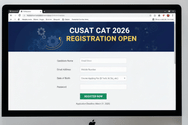
The CUSAT CAT application form has been launched on January 27, 2026, at admissions.cusat.ac.in. For various UG and PG programmes, the form will remain open until March 5, 2026. Further, for MBA, M.Tech, PhD, etc., courses, the last date to complete the form will be released shortly.
Get CUSAT CAT Sample Papers For Free
The CUSAT CAT 2026 application form was released on January 27, 2026, for all programmes. You will be able to apply online at admissions.cusat.ac.in. The last date to fill out the application forms for UG & PG programmes was March 25, 2026. The registration deadline for MTECH is April 16, 2026. You can complete your registration for the MBA programme till April 30, 2026. The last date to fill out the application forms for Ph.D (offline) was March 10, 2026.
The PDF registrations through offline mode will continue till June 5, 2026. The registration deadline for Diploma/ Certificate programmes through offline mode is May 29, 2026. Registrations for International programmes will continue till May 29, 2026. Enter your Name, Mobile Number and Email ID carefully because they cannot be modified later. No application form correction facility will be made available by the authority. If you want to seek admission to UG/PG courses at Cochin University of Science and Technology (CUSAT), you can apply using the direct link provided below.
CUSAT CAT 2026 Application Form - Direct Link (Activated) |
|---|
The application process for the CUSAT CAT 2026 includes registering, uploading the required documents, paying the application fee, filling in the details, submitting the form, etc. The CUSAT CAT 2026 exam dates are May 9, May 10, and May 11, 2026. The B.Tech exam is scheduled to be conducted on May 10, 2026.
The CUSAT CAT 2026 application form dates are provided below -
Events | Dates |
|---|---|
CUSAT CAT application form 2026 launch for all UG and PG programmes, without late fee (except PhD, M.Tech and Diploma Programmes) | January 27, 2026 - March 5, 2026 |
CUSAT CAT application form 2026 for all UG and PG programmes, with late fee (except PhD, M.Tech and Diploma Programmes) | January 27, 2026 - March 5, 2026 |
CUSAT 2026 online form release for MBA, M.Tech/ PhD/ Certificate/ Diploma/ International | February 3, 2026 - Last week of May 2026 |
CUSAT CAT 2026 Exam Date | May 9, May 10, and May 11, 2026 |
Candidates must satisfy the eligibility criteria of CUSAT CAT 2026 before filling the application form. The CUSAT CAT application process involves registration, filling up the form, paying the requisite amount, and uploading the required documents along with the important instruction to be followed until the examination gets over.
The very first step toward the CUSAT CAT entrance examination is to fill the exam form before the deadline. Candidates failing to fill the form before the last date would not be permitted to apply later. While filling CUSAT CAT 2026 Application Form, candidates will be required to provide a number of details including personal, academic and address.
Once the candidates successfully complete the registration process, they will be allotted a system-generated user ID and password, which is sent to their registered email ID. Candidates must carefully fill in the details with no mistakes and cross-checks before clicking on the submit tab.
Here are the pre-requisite details for CUSAT CAT 2026 application form -
A valid email address and contact details
A computer system / laptop with good internet connectivity
A recent photograph in the prescribed size and format
Mark-sheets or Degree certificates such as 10th, 12th and graduation or any other higher qualification.
Bank, debit / credit card details for fee payment
Candidates can follow the steps given below to fill the CUSAT CAT 2026 online application form:
Go to the official website of CUSAT i.e. www.cusat.nic.in.
Click on the link 'New Candidate Registration'.
Enter your basic details such as your name, date of birth and age exactly as given in the qualifying certificate.
After that, enter your valid e-mail ID and an active mobile phone number of yours or parents.
Then, you must choose the correct options out of the 2 options given on the login page.
Online Registration Indian Citizens /NRI /Children of Indian Gulf Workers (CGW)
International Candidates/PIO/Children of Indian Gulf Workers.
Note: If an applicant applying for the Second Option i.e International Candidates / PIO, he/she cannot apply for the First Option.
You will receive an OTP password on your registered email ID and mobile number. You can log in and change your password as per your wish.
Note: The password must have at least 8 characters and contain at least one Capital letter, one number, and one special character.
After the registration process is completed, you will have to log in using your user ID and the newly created Password.
Click on “Online Registration Indian Citizens /NRI /Children of Indian Gulf Workers (CGW)” tab
Provide login credentials such as Father's Name, Mother's Name, Occupation of Father and Mother, Date of Birth, Gender, Nationality, Address, State, Annual Income of Parents, etc.
Click on the 'NEXT' tab to move to the next page.
Select Special Reservation Category/Categories (if applicable) and Eligibility Qualification for the course/courses you wish to apply for.
Select 'Others' option if you want to apply for more than one course and also, select subsidiary subjects of your degree.
Note: If an applicant wishes to appear for undergraduate courses such as B.Tech or I.M.Sc. or BBA LLB or B.Voc programmes need to select Undergraduate Programme. For the applicant who wishes to apply for Postgraduate programmes and MBA, the selection, of course, should be accordingly.
Now, select the exam centre from the Drop-Down List. You may also choose a second choice test centre.
Details Required for CUSAT CAT Registration 2026
You must provide the following details while filling out the application form:
Select the Course You Want to Pursue
In this step, you should upload your scanned photograph and signature in the prescribed size, format and dimensions.
Specification of Photograph and signature
Documents to be Scanned | Details |
|---|---|
Photograph | Recent Passport size colour photograph File Size: not larger than 500kb File Dimensions: 150px x 180px. Format: JPG |
Signature | Signature should be done on a white paper File Size: not greater than 100kb File Dimensions: 130px x 57px. Format:.png or .jpg or .jpeg. |
After the Registration is over applicants will be prompted to pay the applicable fees.
For the same, the applicant will have to Login to his page through the login window in the website using his username and password.
Upon login Click on the option 'Online Payment' and proceed.
You must pay the CUSAT CAT 2026 Application Fee by selecting any of the three options mentioned below:
Credit Card, Debit Card, Net Banking
There is no other option to pay the application fee.
| Category | Application Fee |
|---|---|
| General | INR 1,500 |
| SC/ST | INR 700 |
| International Candidates/PIO/ Children of Indian Gulf Workers | USD 110 |
| NRI Candidates | INR 6,500 |
Note: The Application fee once remitted will not be refunded under any circumstances.
Click on the 'Submit' tab and you should check the status of your application after 3 working days from the date you pay the fee.
If your application is approved, you should take a printout of the application confirmation page from the website.
If the application submitted by you is not approved within the stipulated time, you should take the necessary action as per the application status page.
Note:
Those applying on the basis of GATE exam must enter their best score in the column provided before the online submission of the application form.
MBA applicants should enter their respective scores in the column provided.
Those who are applying for different programmes like M.Sc. and/or MBA and/or M.Tech may submit the application one by one by logging in each time with the same username and password. A single application fee is sufficient for such cases.
M.Tech (Non-GATE) candidates should attend a Department Admission Test (DAT) conducted by the department concerned, which will be conducted if a sufficient number of GATE candidates are not available.
The application fee details for the CUSAT CAT 2026 exam for different categories have been provided in the table below.
Categories | Application Fee |
|---|---|
State Merit/ All India Quota seats (other than NRI/ International/ PIO/ Children of Indian Gulf Workers) | Rs. 1,500 (for a maximum of two test codes) |
Kerala SC/ Kerala ST candidates | Rs. 700 (for a maximum of two test codes) |
International Candidates/PIO | USD 110 |
Children of Indian Gulf Workers (CGW) | Rs. 6,500 (for a maximum of two test codes) |
CGW candidates belonging to KSC/ KST | Rs. 5,700 (for a maximum of two test codes) |
For candidates (except CGW candidates) opting for NRI Seats | Additional Rs. 5,000 |
PhD Candidates | Rs. 1,500 |
PhD and M Phil Programmes (for Kerala SC/ Kerala ST candidates) | Rs. 700 |
Want to know more about CUSAT CAT
The last date to fill out the CUSAT CAT 2026 PhD application form is in the last week of March 2026.
The last date to fill out the CUSAT CAT 2026 M.Tech application form is in the last week of May 2026.
The last date to apply for the CUSAT CAT 2026 MBA application form is in the last week of May 2026.
The last date to apply for the CUSAT CAT 2026 exam is tentatively March 24, 2026.
The CUSAT CAT 2026 application process will begin in the first week of February 2026 for all UG and PG programmes.
I am not able to upload the photo. What is the reason?
Photo to be uploaded should have the specified dimensions and size. Upload your recent passport size (color) photograph (3.5 cm x 4.5 cm with the file size between 4 KB and 100 KB) and signature (3.5 cm x 1.5 cm with a file size between 1 KB and 30 KB). Refer the link "Uploading Photo and Sign" in the Application Portal.
Is it compulsory to have an Email-ID and Mobile number?
Yes, Email-ID and mobile number are mandatory for all candidates. Active Email-ID and mobile number of parents can also be used.
I forgot my password. What is the procedure to retrieve the password?
Using the link ‘Forgot Your Password' in the online application, you can reset your password. User name, DOB, email-id, Security Question and answer to it should be provided for resetting the password.
I forgot to note down my Registration number during the Candidate registration process. How can I get the Registration number?
Login to your home page. There you will get all the details about your application.
Typical response between 24-48 hours
Get personalized response
Free of Cost
Access to community