- We’re on your favourite socials!



Search for best colleges, Courses, Exams and Education updates
Updated By Ankita Jha on 09 Feb, 2026 11:37
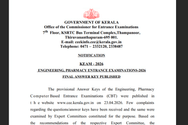
KEAM Registration 2026 has been closed. KEAM application process 2026 takes place in online mode. Last day to apply was February 06, 2026. Eligible candidates had to apply within the last date.
Get KEAM Sample Papers For Free
KEAM application process 2026 was closed on February 06, 2026. KEAM Registration 2026 started on January 05, 2026. KEAM application process takes place via online mode. Also, you had to upload your certificates until February 07, 2026. It is mandatory for you to pay KEAM application fee and submit the necessary documents to successfully complete KEAM application process 2026. Take a look at the sections below for detailed information about KEAM application form 2026.
Direct Link: KEAM Application Form 2026 (DeActivated)
The minimum KEAM eligibility criteria 2026 to fill out the application form is to hold a 10+2 degree in Physics, Chemistry, and Mathematics, and the application fee is INR 875 (Engineering only/BPharm only/both), INR 625 (Architecture only/Medical & Allied only/both) and INR 1125 (For all courses) for the General candidates, whereas Schedule Caste (SC) have to pay INR 375 (Engineering only/ BPharm only/both), INR 250 (Architecture only/Medical & Allied only/both), and INR 500 (For all courses). However, there are no KEAM registration fees for Schedule Tribe (ST) candidates.
One who are willing to appear for the KEAM exam must go through the KEAM syllabus 2026 to ensure the best preparation for the exam. The KEAM syllabus is prescribed according to the courses; however, the overall syllabus for all the courses remains the same. The KEAM syllabus 2026 is prescribed for Physics, Chemistry, and Mathematics for Engineering.
KEAM 2026 Registration Dates have been provided in the following table.
Events | Important Dates |
|---|---|
Start of Registrations for KEAM 2026 | January 05, 2026 |
Last Date to Submit KEAM 2026 Application Form | January 31, 2026 |
Last Date for the online submission of supporting documents | February 07, 2026 |
| KEAM 2026 Application Form Correction Facility | TBA |
KEAM 2026 Exam Date | April 13-25,2026 |
The KEAM application or registration fee varies with categories and the courses applied for. Candidates willing to appear for the KEAM entrance exam can check the category and course-wise application fees in the table below:
Course(s) opted | General | SC | ST |
|---|---|---|---|
(a) Engineering only/BPharm only/both | INR 875 | INR 375 | Nil |
(b) Architecture only/Medical & Allied only/both | INR 625 | INR 250 | Nil |
Both (a) and (b) | INR 1125 | INR 500 | Nil |
Candidates who are willing to fill out the application form for KEAM 2026 must keep their documents ready that need to be uploaded while filling out the application form. Check the list of documents that will be required while filling out the KEAM online application form 2026 below:
Note: Documents or certifications submitted after the application deadline for Medical & Medical Allied programmes, Engineering, Architecture, and B.Pharm courses will not be accepted. After submitting the Online Application, there will be no option to include any details/certificates.
Candidates can fill out the KEAM 2026 application form in five steps, which are: i) registration; ii) filling out the application form; iii) application payment; iv) document upload; and v) printing the acknowledgement receipt. Check the detailed steps to fill out the KEAM online application form below:
Note: After the final submission of the application form, no modification of the application will be possible at any stage.
To complete the application procedure of KEAM 2026, applicants will have to pay the KEAM 2026 application fee either online or offline.
Note: The Application fee/additional fee once remitted will not be refunded under any circumstances.
A recent passport-size image of the candidate and his or her signature, both in jpeg format and meeting the specified standards, must be supplied. Moreover, any certifications and documentation supporting the different claims mentioned in the applications must be supplied. Nativity verification, date of birth proof, and SSLC or comparable certificate are all required.
KEAM 2026 Image Specifications
Scanned images | Dimension | Size |
|---|---|---|
Photograph | 150 pixels (width)200 pixels (height) | 10 KB to 30 KB |
Signature | 150 pixels (width)100 pixels (height) | 10 KB to 30 KB |
Thumb impression | 150 pixels (width)100 pixels (height) | 10 KB to 30 KB |
Note: If many documents must be supplied for a single claim, they must all be converted into a single PDF file and posted.
Once the images have been uploaded, candidates must print the application acknowledgement page for future reference.
To check the status of your KEAM 2026 application form, you will need to log into your account and look for the following:
1. Registration: This shows that you have completed the online registration.
2. Upload Images: This shows whether you have uploaded photos of your photographs, signatures, and thumb impressions to the portal.
3. Fill Application: This indicates that you have filled out the application and submitted it.
4. Pay Application Fee: This shows whether the CEE office has received confirmation of your payment.
5. Print Application: This indicates whether you have taken a printout of the application.
6. Received by CEE: This status indicates that the CEE office has received your application for investigation/scrutiny. If this status is green, it means that your application has been taken for investigation/scrutiny.
If the status is green, it means that the phase is complete. If it's red, it means that the steps are yet to be completed. Candidates with defective application forms will not be able to generate a KEAM Admit Card.
Candidates must follow the steps provided below to successfully retrieve KEAM 2026 application number.
If candidates have lost the KEAM 2026 password, there is an option to reset it. Candidates are required to click on the “Forgot Password” link on the login page. Candidates will be redirected to a log-in window. Candidates will have to log in using the following details.
The steps to make corrections in the KEAM 2026 application form have been listed below -
Also Check - KEAM 2026 Preparation - Major Strategies & Complete Guide to Success
Want to know more about KEAM
To track the status of your KEAM 2026 application form, you should log in to your account and review the following key points: First, check for the "Registration" status, which confirms the completion of your online registration. Then, ensure that the "Upload Images" status indicates the successful submission of your photographs, signatures, and thumb impressions. Next, look for the "Fill Application" status to confirm that you have completed and submitted the application. Verify the "Pay Application Fee" status to ensure the CEE office has received confirmation of your payment. Also, check the "Print Application" status to see if you have generated a printout of your application. Lastly, keep an eye on the "Received by CEE" status, which indicates whether the CEE office has received your application for investigation. If this status is green, it means your application is under investigation.
The KEAM 2026 application fee has not yet been released by the authorities. However, as per previous years data, we have noted down the following -
- For General and SC categories, the fee for opting for Engineering only or B. Pharm only, or both is Rs. 700 and Rs. 300 respectively.
- For opting for Architecture only, Medical & Allied only, or both, the fee is Rs. 500 and Rs. 200 respectively.
- For opting for both Engineering & Architecture, the fee is Rs. 900 for the General category and Rs. 400 for the SC category.
Before applying for the KEAM 2026, candidates need to have scanned images of several documents ready. These include proof of Keralite nativity, SSLC or equivalent certificate, non-creamy layer certificate, caste certificate from the Tahsildar for SC/ST candidates, certificates supporting any claim for special reservation, community certificate from the Village Officer for OEC candidates not included in non-creamy layer, income certificate from the Village Officer for fee concession/scholarship based on annual family income except for SC/ST/OEC candidates, non-creamy layer certificates from the Village Officer for the children of inter-caste married persons or inter-caste marriage certificates from the Tahsildar for the children of inter-caste married persons where either parent belongs to SEBC/OEC or SC/ST, EWS Certificate from the Village Officer for Economically Weaker Sections in the General Category, documents of minority reservation if applicable, and community certificates from the Village Officer for the minority community including Muslim/Christian candidates.
I forgot to note down my Application number during the Candidate registration process. How can I get the application number?
There is no provision for retrieving the application number. If you do not complete the Payment section of the online application, a new registration may be done and you will get a new application number.
What are the common causes of rejecting the application?
If duly filled and signed Course Certificate and Nativity Certificate in the prescribed format are not attached along with the print out of the application. or If the printout of application and supporting document reaches after the last date specified.
During the time of filling up of application, it shows ‘Session Time Out' and the filled information has been lost. How to avoid this?
The specified period of time when the user doesn't work with the application is called session time out. The applicant has to login again to proceed further. To avoid this session time out, candidates are requested to use ‘Save' button frequently, available in the application page which will facilitate to save the entered data so far.
Is it compulsory to do all the steps mentioned for applying online in a single sitting?
No need to complete all the procedures in a single step. You can do each step in different time. But log out from the portal each time should be ensured.
Typical response between 24-48 hours
Get personalized response
Free of Cost
Access to community